
 Ready Partner
Business Management Software for Construction
Quotes and change orders, jobs, crews, purchasing, field hours, progress billing and job margins, in one Odoo system.
Everything you need to run a construction business, in one system
Sales, projects, purchasing, timesheets and accounting in one Odoo database.
Built on 20
Quotations that become projects
- Organize the quote into sections for sitework, concrete and steel.
- Confirm the quote to create the project from your construction template.
- Start the job with the tasks and milestones you already set up.

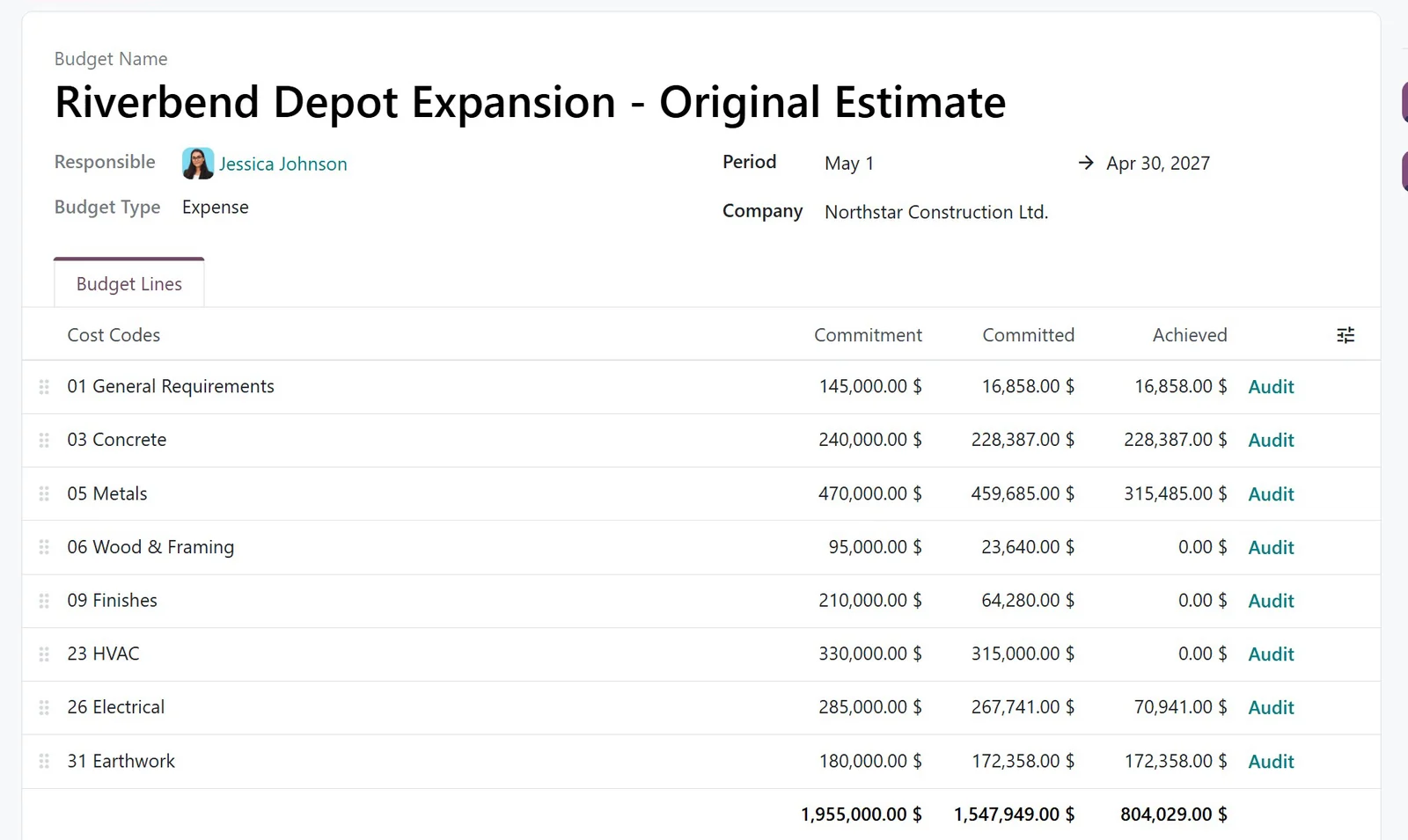
Budget lines for every cost code
- Give each cost code its own budget line.
- Compare the budget with committed and recorded costs, side by side.
- Count confirmed purchase orders as committed before they are billed.
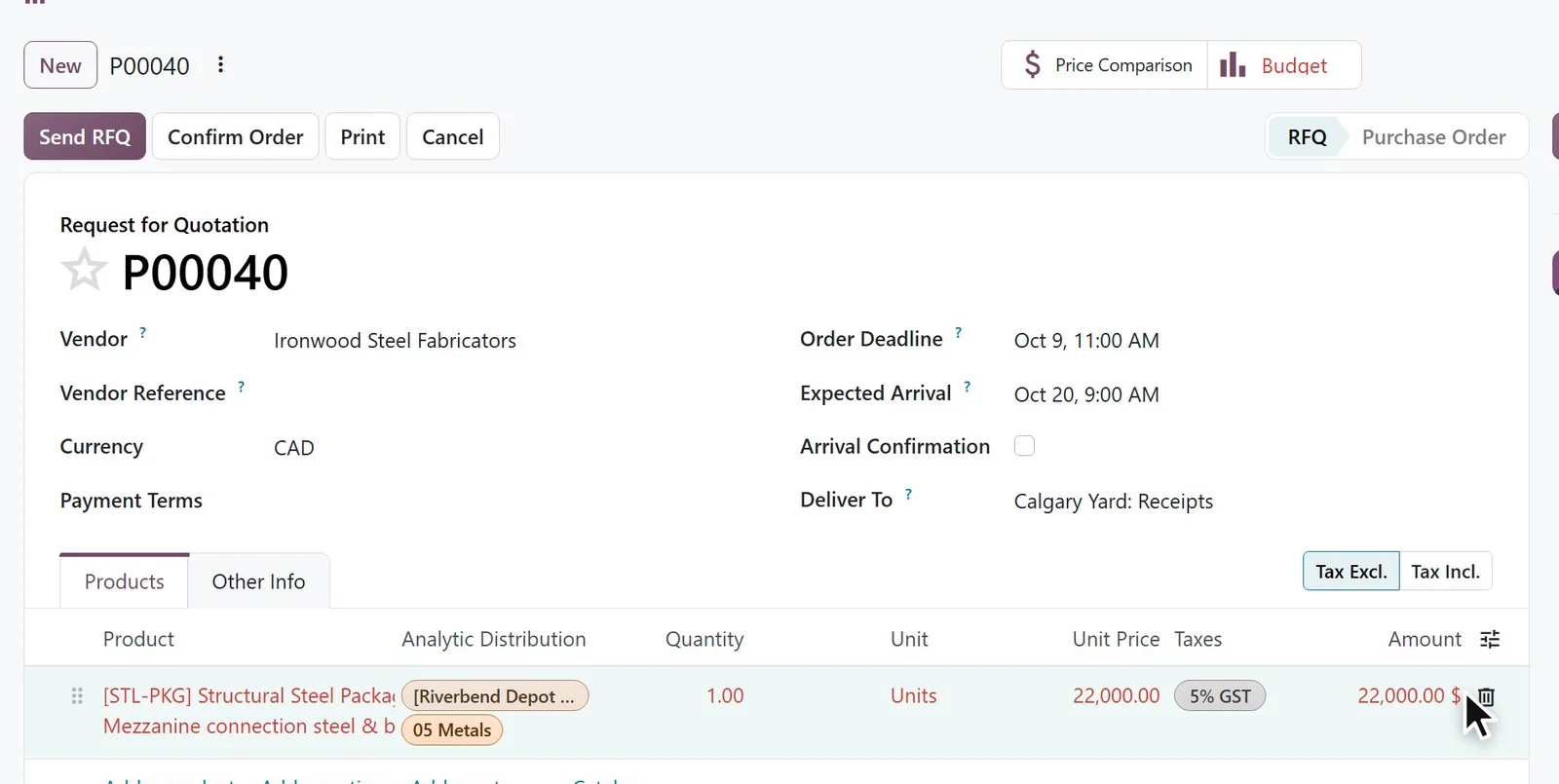
Purchase orders committed against the budget
- Assign each order line to the job and its cost code.
- Confirm the order and the committed cost goes up.
- See a cost code turn red when it goes over budget, before the bill arrives.
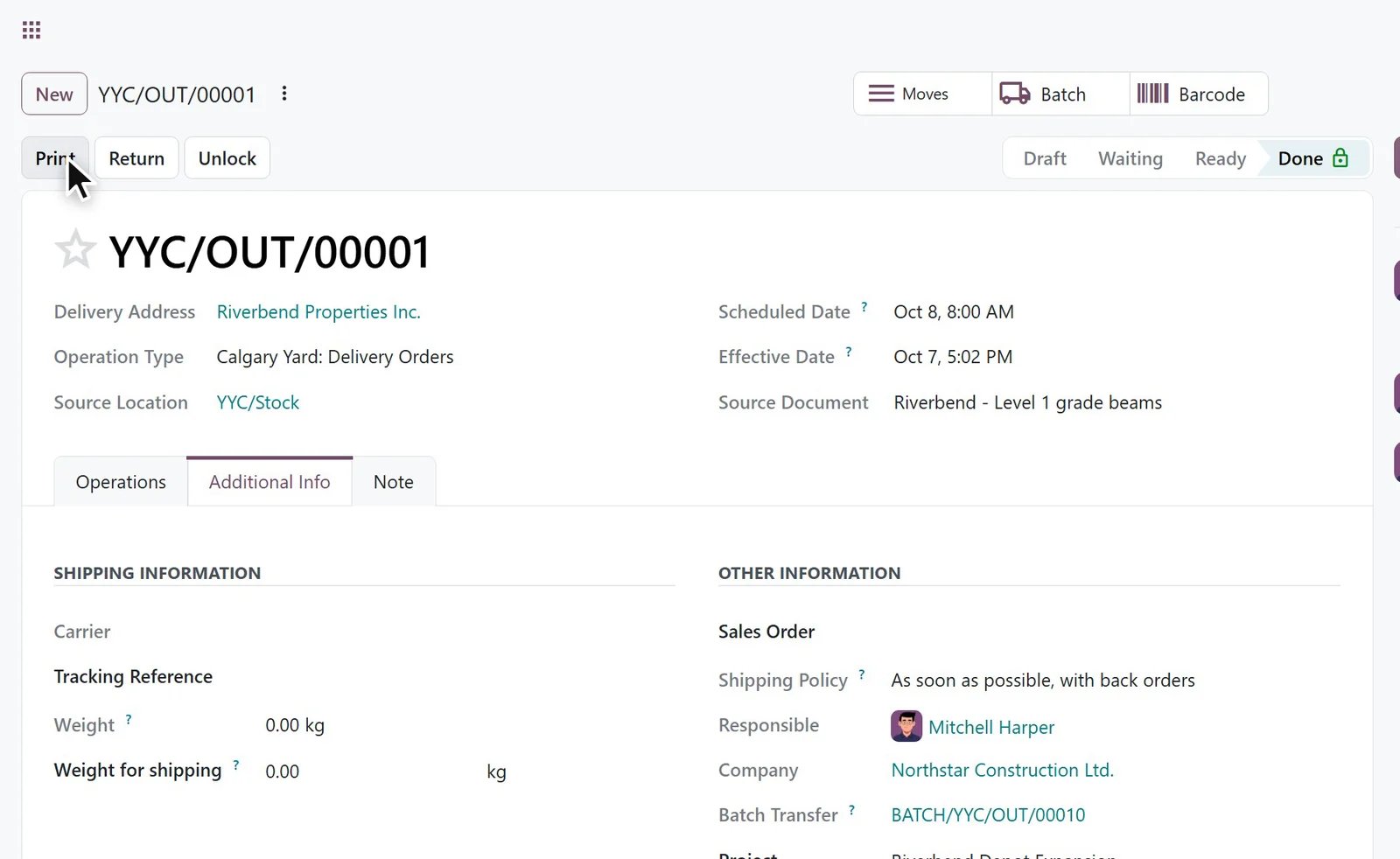
Yard materials delivered to the job
- Create a delivery from the yard and assign it to the project.
- Validate it to take the materials out of yard stock.
- Record the delivered materials as a cost on the job.
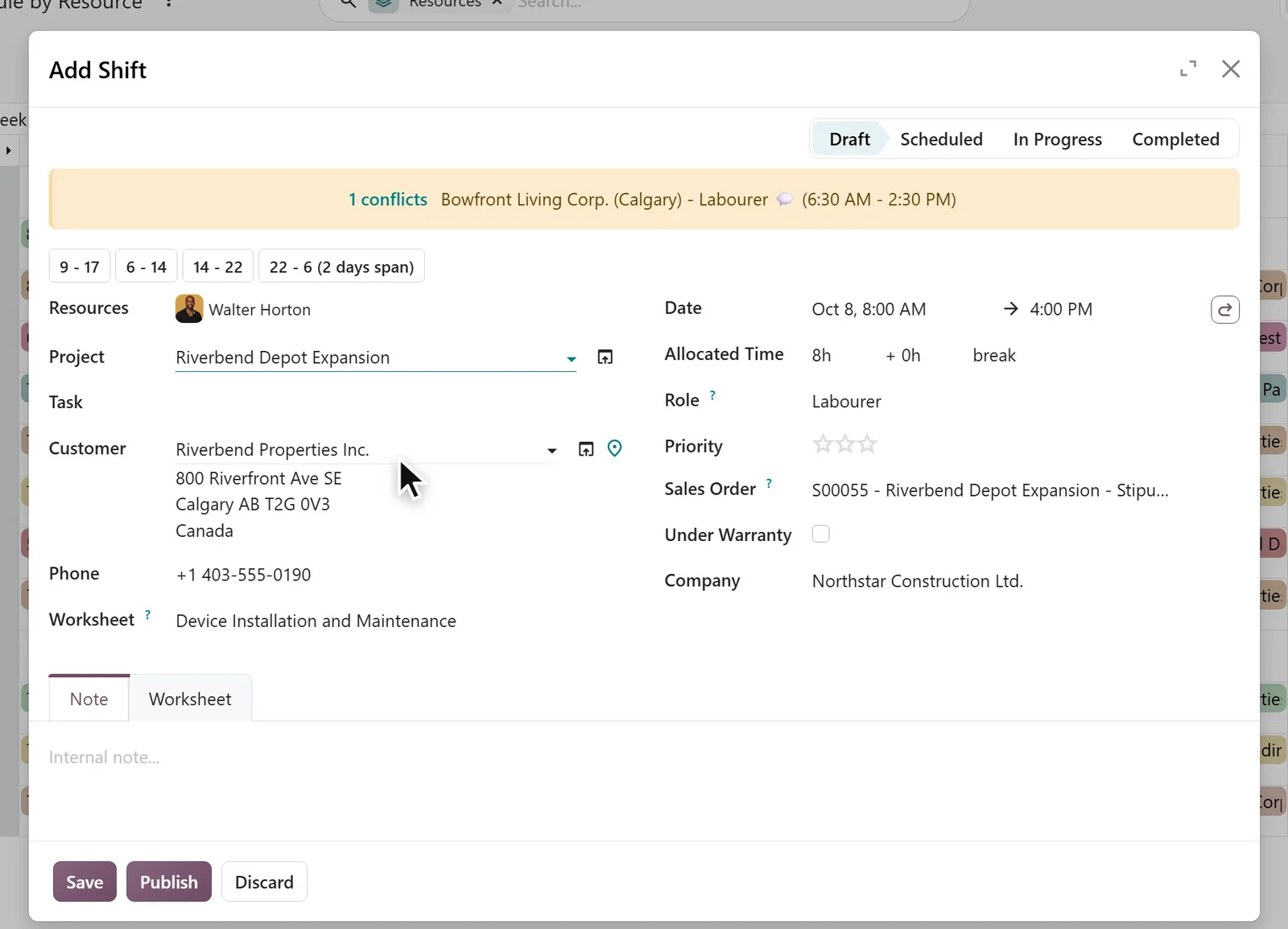
Crew schedules by site, shift by shift
- See who is scheduled on each site, shift by shift.
- Get a warning when a new shift overlaps an existing one.
- Publish the schedule and email it to the assigned crew.
Tell us your biggest software issue.
Within 5 business days, you'll see a working proof of concept in Odoo, bespoke to your business.
Book a call*If you're in Calgary, shoot an email and we'll buy you a coffee
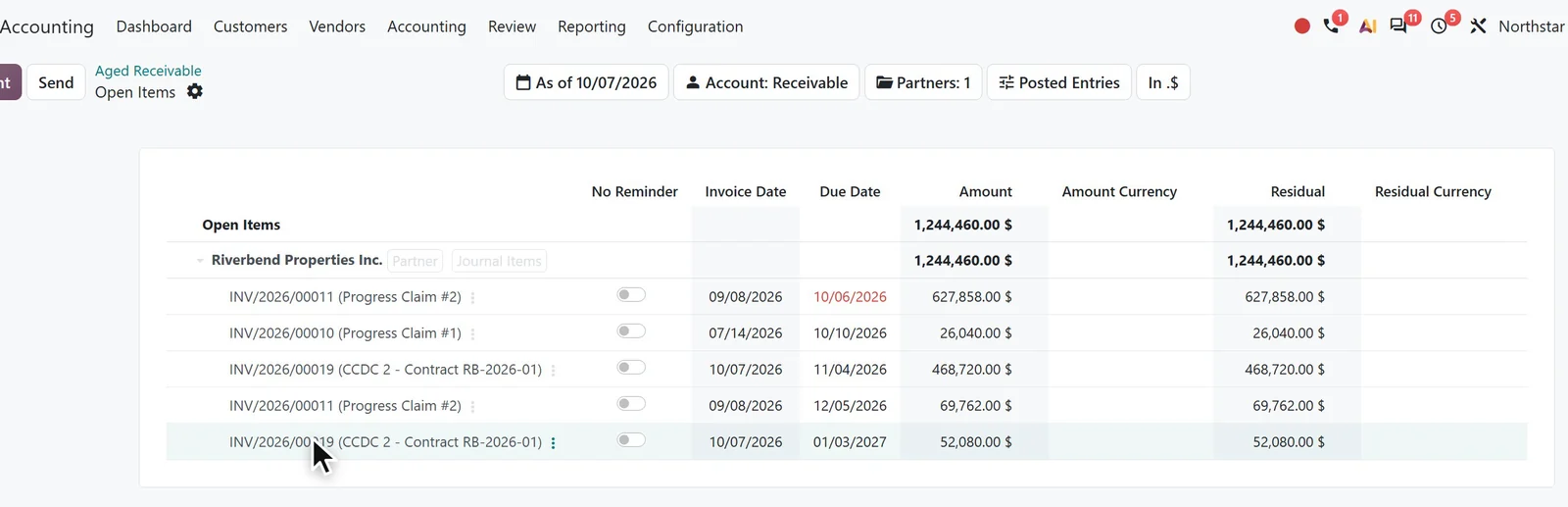
Hours and receipts costed to the job
- Log hours against the job and the task.
- Cost each hour at the employee’s hourly cost.
- Attach receipts to expenses and post them to the job once approved.
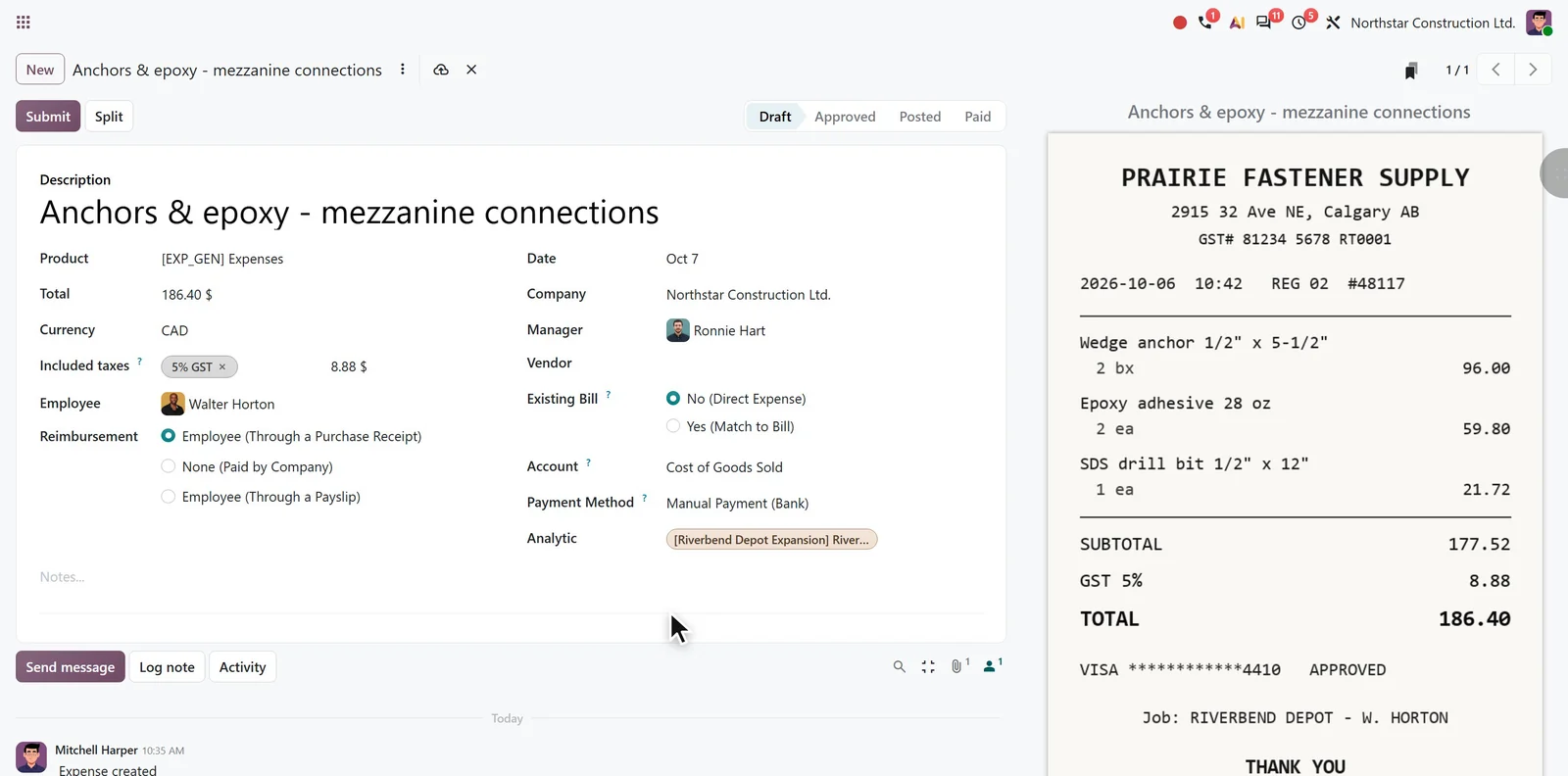
Change orders the client signs online
- Send the change as a separate quotation linked to the job.
- Let the client review it online and sign to accept.
- See the signed change next to the job’s other sales orders.
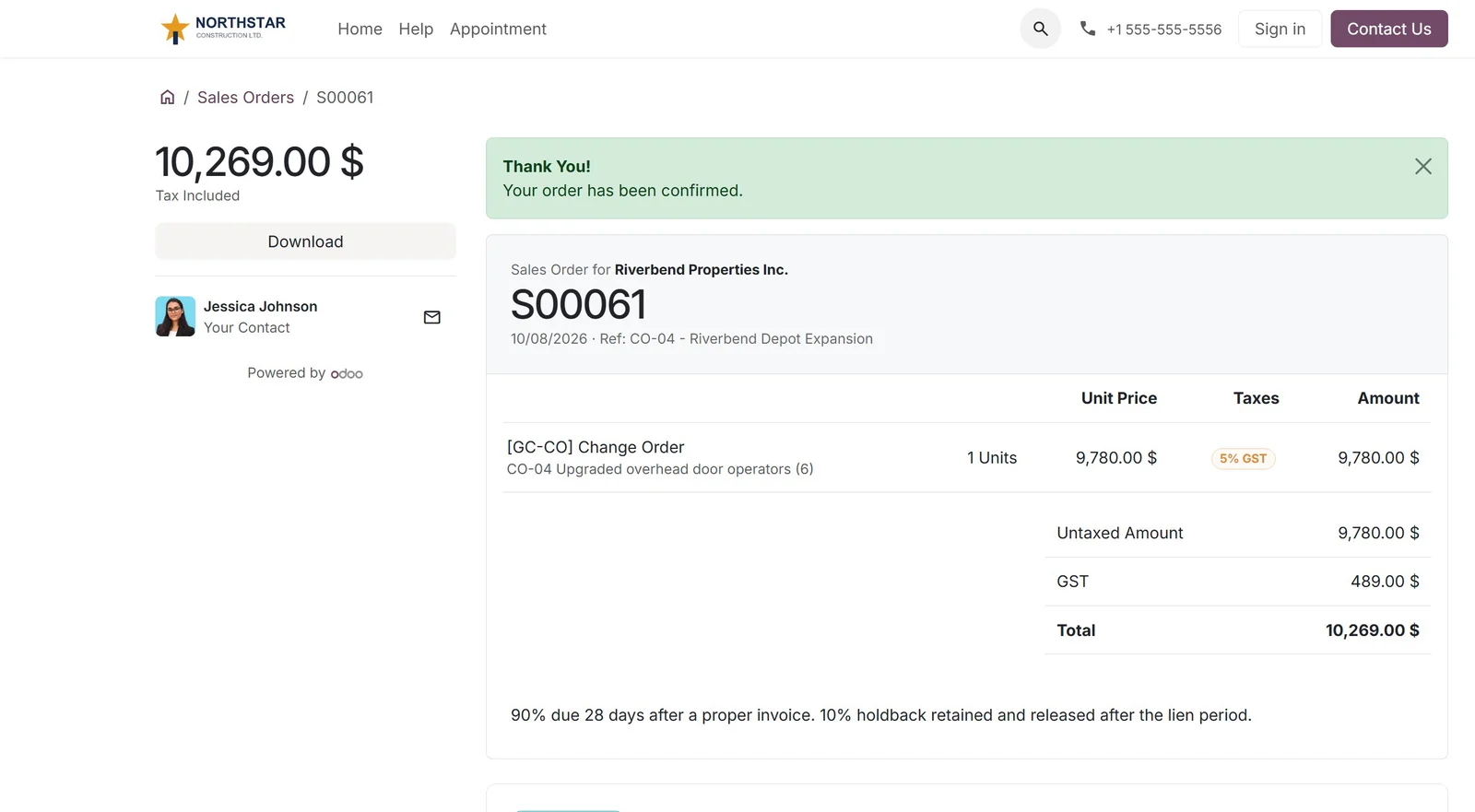
Progress invoices with holdback
- Mark a milestone as reached to make it ready to invoice.
- Invoice the completed work as a share of the contract.
- Use payment terms that hold back 10%, with its own due date.
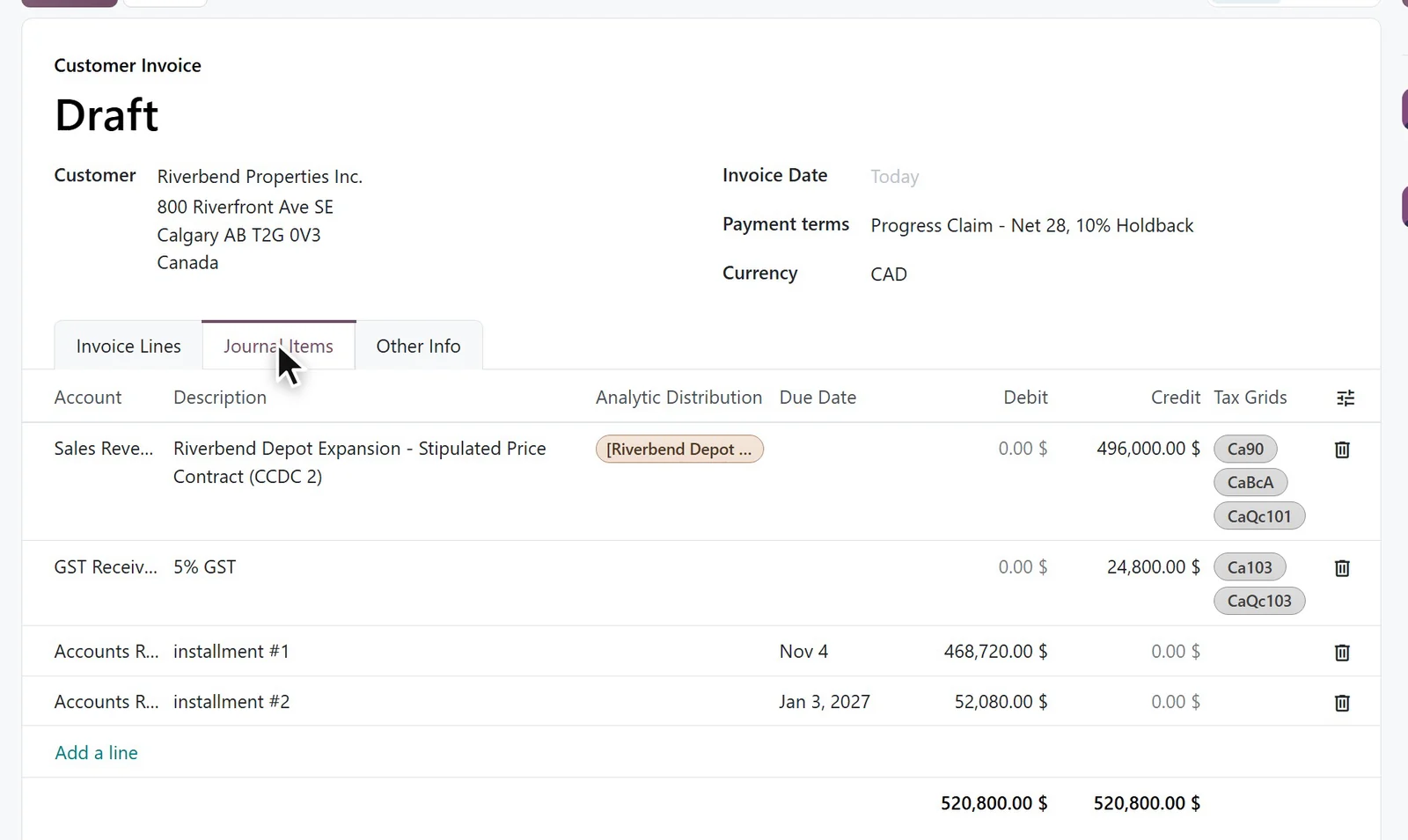
Receivables aged by due date
- See each client’s balance by days overdue.
- Open a balance to list unpaid amounts and due dates, holdbacks included.
- Use Aged Payable for outstanding bills from subcontractors and suppliers.
Job margins from revenue and recorded costs
- Open Real Costs on the project to review its margin.
- See revenue from milestone invoices and approved changes.
- Break costs down into timesheets, purchasing, expenses and materials.

















50+ apps, one price
CA$44per user / month
Odoo Standard plan, billed yearly
Book the scoping callHow it works
Start with a 30-minute scoping call. Pick a time below.
- 1Book a scoping call
30 minutes. Walk us through how you bid, schedule, buy and bill today.
- 2Scope and quote
We map your process to Odoo apps and send a written scope and quote.
- 3Build on your data
Odoo configured and tested with your jobs, cost codes and suppliers.
- 4Go live
Your team trained on your own data before cut-over.
★★★★★ 4.9 on Clutch · 15 reviews · Odoo Ready Partner
Loading the calendar… or open it on Cal.com.
What contractors ask us
Can Odoo do progress billing, with previous, current and to-date amounts?
Odoo bills a job in stages as standard: each milestone carries a share of the contract, and sales order lines can be invoiced in part. A progress claim that lists previous, current and to-date amounts on every line is not a standard invoice layout. It is added with a report change or an add-on, which we scope on the call.
How do we hold back retention on each progress invoice?
A payment term can split every invoice into two instalments, for example 90% due now and 10% due months later, so the holdback stays open on the customer's balance until it is released. Statutory holdback rules differ by province, so we confirm yours on the scoping call.
Can we set a budget for each job and compare it with actual costs?
Yes. Odoo Budgets set a budget per job and cost code, then show the amount spent and the amount committed, which includes confirmed purchase orders, against each budget line.
How should we set up a job in Odoo?
Most contractors use one project per job, with milestones for the billing stages and tasks for the work. Cost codes sit on a second analytic plan, so every timesheet, purchase and bill carries both the job and the cost code.
Can purchases made on site be charged to the job?
Yes. Purchase orders, supplier bills and employee expense receipts all carry the job and cost code, so a card purchase at a supplier counter lands on the right job.
Should equipment be tracked in Fleet or as products?
Fleet suits trucks and vehicles, with their fuel, service and cost history. Maintenance tracks equipment and its service schedule. Charging equipment hours to a job needs a set-up decision, which we make with you on the call.
Can Odoo replace QuickBooks for a contractor?
Odoo includes full accounting, with each job as its own cost centre, so costs post to the job as they are recorded. A WIP schedule with over and under billing is not a standard Odoo report. It is built from Odoo's job data, which we scope on the call.
What does Odoo cost?
Odoo Standard licences start at CA$44 per user per month, billed yearly, with all apps included. Implementation is quoted separately once the scope is clear from the scoping call.